
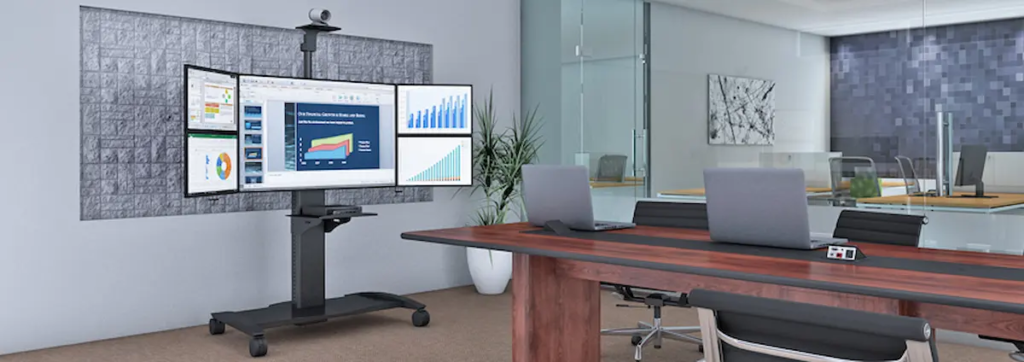
Workspace Solutions: Trends, Strategies, and Insights for Modern Work Environments
|
⚡ Quick Summary • Workspace solutions are the integrated combination of furniture, mounting systems, mobile equipment, and accessories that determine how efficiently and comfortably people can do their jobs in a given environment. • The six solution types that deliver the most value are: flexible modular workstations, mobile workspace solutions, ergonomic workspace design, mounting and space optimisation systems, custom builds, and accessories. • Different industries have fundamentally different workspace requirements. Healthcare, industrial, corporate, IT, control room, and laboratory environments each need different specifications — not variations of the same office setup. • Six workspace trends are actively reshaping how organisations specify and buy: hybrid work infrastructure, activity-based working, mobile-first clinical design, ergonomics as compliance, integrated tech and furniture, and sustainability in materials. • AFC Industries PA offers workspace solutions across all these categories. Explore the full product range or use the product configurator to map a complete workspace specification. |
What Are Workspace Solutions and Why Do They Matter Today?
The term “workspace solutions” gets used so broadly that it risks meaning nothing specific. So let’s be clear about what it actually describes: the combination of furniture, equipment, mounting systems, and accessories that determines how efficiently and comfortably a person can perform their job in a given physical space.
That definition matters because it shifts the question from “what furniture do we need” to “what does the work actually require.” A clinical ward, a manufacturing floor, a trading desk, and a hybrid corporate office have almost nothing in common when it comes to workspace requirements. The products that optimise each environment are different. The failure modes of getting the spec wrong are different. The cost of those failures — in injury claims, productivity loss, or staff turnover — is different.
The Leesman Index, which surveys workplace effectiveness across hundreds of thousands of employees globally, consistently finds that only around 57% of employees believe their workplace enables them to work productively. The gap between that number and 100% is a workspace solutions problem — environments that weren’t designed around how work actually happens.
AFC Industries PA works with Pennsylvania and Mid-Atlantic organisations to close that gap. We are independent from AFC Industries. Our focus is on workspace solutions that are specified for the actual operational demands of the environment — not applied from a generic template.
What Types of Workspace Solutions Deliver the Most Value?
The highest-value solutions are never the most expensive ones. They’re the ones that solve the actual bottleneck in how work gets done. The table below maps each solution category to the specific operational problem it addresses, and the environments where it delivers the clearest return.
|
Solution Type |
Problem It Solves |
Best-Fit Environment |
Value Impact |
|
Flexible Modular Workstations |
Rigid layouts that can’t adapt |
Corporate offices, shared labs, co-working |
High — enables reconfig without full redesign |
|
Mobile Workspace Solutions |
Equipment too far from the task |
Healthcare, industrial, IT field roles |
High — cuts wasted movement and cumulative load |
|
Ergonomic Workspace Design |
Fatigue, posture injury, focus loss |
Any environment with sustained physical tasks |
Very High — injury prevention + output quality |
|
Mounting & Space Optimisation |
Cluttered surfaces, poor accessibility |
Offices, control rooms, clinical stations |
Medium-High — organisation and reach efficiency |
|
Custom Workspace Solutions |
Standard products don’t fit the workflow |
Specialist clinical, industrial, lab builds |
Very High — purpose-built to exact operational spec |
|
Accessories & Enhancements |
Fragmented setup, compatibility gaps |
Any multi-component workstation |
Medium — coherence and friction removal |
1. Flexible and Modular Workstations
The organisations that get the most longevity out of their workspace investment are those that built in reconfiguration capacity from the start. Modular workstations — surfaces, partitions, and storage components that connect and disconnect without structural changes — absorb team growth, restructuring, and workflow shifts without requiring a full refit.
The practical specification question isn’t “do we need modular” — it’s what mounting standard the components use, whether that standard is compatible with the mounting and accessory systems already in the space, and whether the same modular system can serve both focused individual work and collaborative group work through reconfiguration rather than replacement.
2. Mobile Workspace Solutions
The distinction that matters here is between “mobile” as a feature and “mobile” as a design requirement. A cart with wheels is mobile in a technical sense. A mobile workspace solution is one that was designed from the start to travel to the point of need rather than requiring the user to travel to the equipment.
In healthcare, that difference shows up in clinical documentation lag and staff walking distance. In industrial environments, it shows up in the number of trips between a fixed workbench and the assembly task. In IT, it shows up in the time a technician spends returning to a fixed diagnostics station between tasks. Mobile workspace solutions eliminate those trips — individually minor, cumulatively significant.
AFC Industries PA’s computer carts and medical carts are height-adjustable and purpose-built for mobile-first workflows rather than adapted from fixed designs.
3. Ergonomic Workspace Design
Ergonomic workspace design is not the same as buying ergonomic products. You can have a room full of ergonomically certified equipment configured in ways that create exactly the same injury risk as standard furniture. The design question is whether the entire workspace — desk height, screen position, keyboard location, storage reach zones, floor surface, lighting angle — is calibrated as a system for the users who will actually occupy it.
OSHA’s data on musculoskeletal disorders consistently shows that 30% of workers’ compensation costs in the US stem from poor workstation configuration. That statistic doesn’t change when you introduce ergonomic products without addressing the overall design. It changes when the full workspace is designed around the task and the user.
The ergonomic mounts range at AFC Industries PA is designed to integrate with broader workspace specifications — not to be dropped into an existing setup as a standalone fix.
4. Integrated Mounting and Space Optimisation Systems
Surface area is the most expensive resource in any workspace. Most of it gets consumed by equipment that could be wall-mounted, rail-mounted, or relocated off the primary work surface entirely. A cluttered desk isn’t an aesthetic problem — it’s a reach-and-access problem that adds friction to every interaction with the workspace across the entire working day.
Mounting systems — wall rails, desk-edge clamps, vertical track systems — reclaim that surface area and allow equipment to be positioned exactly where it’s needed rather than where gravity and cable length put it. In clinical environments, mounting systems also serve an infection-control function: equipment off flat surfaces means fewer surfaces to clean and fewer contamination pathways.
AFC Industries PA’s track mount systems and industrial product range cover integrated mounting for both office and demanding-environment applications.
5. Custom Workspace Solutions
The realistic boundary of off-the-shelf workspace solutions is the point where the operational requirement is specific enough that no standard product addresses it without compromise. A clinical ward that needs a workstation at a precise height, with a specific antimicrobial surface rating, integrated cable management, and a mounting rail compatible with existing equipment. An assembly station sized to a particular component reach zone with a surface load rating that standard desks don’t meet.
Custom workspace solutions are not premium products for unusual organisations. They’re the appropriate specification method for any environment where standard products require compromises that create operational, ergonomic, or compliance problems.
The custom products range at AFC Industries PA covers bespoke workspace builds. The product configurator is the starting point for scoping those requirements.
6. Accessories and Workspace Enhancements
Accessories are the layer that determines whether a well-specified workspace actually functions as intended — or whether it functions almost correctly, with a set of small frictions that add up across the day. Cable management that keeps leads out of the work area. Storage trays positioned at the correct reach zone. A CPU holder that gets the tower off the floor and onto a bracket with better airflow.
The system coherence point matters here more than in any other solution category. Accessories bought to fix specific problems in isolation often create new incompatibilities with the components around them. Specifying accessories as part of the broader workspace design — rather than adding them after the fact — is where the most value is consistently lost and recovered.
Browse the full accessories range at AFC Industries PA for components designed to integrate with our full workspace product ecosystem.
How Do You Choose the Right Workspace Solutions?
The organisations that make the most durable workspace investments follow a sequence that most skip: they map the work before they specify the workspace. What tasks happen here? Who performs them? How long does each person spend in a single position? What equipment travels with them and what stays fixed? What are the compliance or safety requirements specific to this environment?
Six design principles separate workspace specifications that deliver long-term value from those that solve one problem and create others:
|
# |
Design Principle |
What Goes Wrong Without It |
|
1 |
Map how work actually flows before specifying anything. |
The most common design failure is building a workspace around an assumed workflow rather than the one that actually exists on the floor or at the desk. |
|
2 |
Identify which tasks are stationary and which require movement. |
Mobile solutions solve different problems from fixed ones. A workspace that confuses the two creates more friction than either approach used consistently. |
|
3 |
Specify for the full range of users, not the average. |
Height ranges, reach zones, and weight limits designed around average users are wrong for a third of the people who will actually use the space. |
|
4 |
Decide which components need to be compatible with each other before buying. |
Compatibility gaps discovered during installation cost significantly more to fix than they would have to prevent at the specification stage. |
|
5 |
Build in reconfiguration capacity from the start. |
A workspace that can be rearranged without tools or structural changes absorbs team growth, role shifts, and workflow changes without capital expenditure. |
|
6 |
Document the specification completely before the first order is placed. |
Organisations that can replicate a workspace build accurately — same products, same configurations, same finish specs — scale without the fragmentation that plagues undocumented workspace programmes. |
How Do Workspace Solutions Work Together as a System?
The compounding effect of a well-integrated workspace system is real. A height-adjustable desk changes the correct monitor arm height. The monitor arm height changes the keyboard tray position. The keyboard tray position changes the optimal seat height. Change one component without recalibrating the others and you solve one ergonomic problem while creating a new one.
The same principle operates at the macro level. A mobile cart that doesn’t clear the workspace access path is a hazard. A mounting system that isn’t compatible with the accessories already in the space creates redundant hardware. A custom build that can’t accept standard accessories when requirements change eliminates future flexibility.
The product configurator at AFC Industries PA maps component compatibility across the full product range before anything is ordered — the most efficient way to identify integration gaps before they become installation problems.
How Do Workspace Solutions Improve ROI and Productivity?
The ROI case for workspace investment is documented and consistent. The Washington State Department of Labour and Industries found ergonomic workspace interventions return an average of $3.60 for every dollar spent. The Leesman research on workplace effectiveness shows that employees in high-effectiveness workspaces are 19% more likely to be proud of their organisation and 17% more likely to recommend it as an employer — a retention metric with direct recruitment cost implications.
The less-cited dimension is error reduction. Research published in Applied Ergonomics shows cognitive task performance degrades measurably with physical discomfort. In roles where accuracy matters — clinical documentation, financial analysis, software development, quality inspection — a workspace that increases physical discomfort over the course of a shift is directly affecting output quality in the final hours of the day. That’s where the productivity ROI on workspace design is most consistently underestimated.
What Industries Benefit Most from Workspace Solutions?
Every industry benefits from workspace solutions, but the specific requirements — and the consequences of getting them wrong — vary substantially. The table below maps the key solution types and the underlying reasoning for each sector.
|
Industry |
Key Workspace Solutions |
Why the Spec Matters |
|
Healthcare |
Mobile carts, clinical workstations, antimicrobial surfaces, point-of-care mounts |
Staff walk 4–5 miles per shift; equipment mobility directly reduces physical load and documentation lag |
|
Corporate Office |
Modular desks, monitor arms, hot-desk systems, cable management, storage |
Hybrid work means workstations serve multiple users — adjustability range is the critical spec variable |
|
Industrial / Mfg. |
Height-adjustable benches, reach-zone tool stations, anti-fatigue systems |
Repetitive manual handling is the leading cause of MSK injury; workspace spec directly reduces claim rates |
|
IT / Data Centre |
Rack-adjacent monitor arms, sit-stand stations, structured cable management |
Long diagnostic sessions at fixed heights increase error rates; adjustable setups reduce fatigue-related mistakes |
|
Control Rooms |
Low-glare mounting, multi-screen arms, ergonomic seating, dark palette surfaces |
Sustained monitoring requires low eye-strain configuration; standard desk setups are wrong for this role |
|
Laboratory / QC |
Anti-vibration benches, height-adjustable surfaces, reach-optimised storage |
Precision tasks are degraded by compensatory posture; correct bench height improves accuracy alongside safety |
What Trends Are Shaping the Future of Workspace Design?
Workspace design trends are useful in the sense that they reflect where operational requirements are heading — not as aesthetic directions to follow, but as signals about what the next generation of workspace specifications will need to accommodate. The table below covers the six trends with the most direct impact on how workspaces get built and equipped.
|
Trend |
What It Means in Practice |
Impact on Workspace Specification |
|
Hybrid Work Infrastructure |
Workstations designed for shared use — adjustable everything, hot-desk ready, standardised accessory mounting |
Drives demand for adjustable-height desks, universal monitor arms, and standardised rail systems |
|
Activity-Based Working (ABW) |
Distinct zones for focus, collaboration, and informal interaction — each with different furniture specs |
Reduces per-person footprint while improving environment fit; requires modular, reconfigurable components |
|
Mobile-First Clinical Design |
Equipment travels with the clinician rather than requiring clinicians to travel to equipment |
Expands market for height-adjustable mobile carts and point-of-care workstation systems |
|
Ergonomics as Compliance |
Growing regulatory and insurance pressure to document ergonomic risk assessments and interventions |
Moves ergonomic products from optional to required; creates audit trail demand for documented specs |
|
Integrated Tech + Furniture |
Power, data, and mounting built into the furniture surface rather than added on afterwards |
Raises the specification bar; increases demand for custom and semi-custom workspace builds |
|
Sustainability in Materials |
Specification of surfaces and frames rated for longer lifecycle, repairability, and lower environmental cost |
Shifts purchasing criteria from initial price to total cost of ownership and material certifications |
What Does Hybrid Work Mean for Workspace Specification?
Hybrid work is the single biggest driver of workspace specification change in corporate environments over the past five years. The challenge it creates is not “how do we support remote work” — technology handles that. The challenge is that physical workstations now need to serve multiple people with different body dimensions, different task requirements, and different equipment preferences, often on the same day.
The specification consequence is straightforward: fixed-dimension workstations are the wrong answer for hybrid environments. Every component that a different user interacts with — desk height, monitor position, keyboard placement, storage access — needs to be adjustable to a range wide enough to serve the actual distribution of users, not just the average one.
How Does the Ergonomics-as-Compliance Trend Affect Workspace Buying?
Regulatory and insurance pressure around ergonomic risk documentation has been building gradually in the US and is more advanced in European markets. The direction of travel is clear: organisations that can demonstrate documented ergonomic risk assessments and evidence of appropriate interventions are better positioned on workers’ compensation insurance, better protected against litigation, and — in regulated industries like healthcare and manufacturing — increasingly required to demonstrate compliance.
The practical implication for workspace procurement is that ergonomic products bought with documented specifications are worth more than ergonomic products bought without them. A monitor arm with a documented weight rating and height range creates an evidence trail. The same product without documentation doesn’t.
What Do Workspace Solutions Cost?
The question doesn’t have a single answer because the right question is “what does the workspace need to accomplish,” and the answer to that varies enormously. Some realistic benchmarks:
- Single-station office ergonomic upgrade: $300–$1,500 for a monitor arm, keyboard tray, and cable management system for one workstation.
- Full modular office workstation: $800–$3,000 per station for height-adjustable desk, mounted accessories, and storage in a hot-desk configuration.
- Clinical mobile workstation: $500–$2,500 depending on height adjustment mechanism, surface specification, power access, and clinical certification requirements.
- Industrial ergonomic station: $600–$5,000+ depending on load rating, surface area, adjustability range, and compliance specification.
- Custom workspace build: Project-specific. AFC Industries PA scoping conversations typically begin with a needs assessment at no charge.
- Multi-station programme (10+ stations): Volume pricing reduces per-unit cost substantially. Compatibility consultation included. Contact AFC Industries PA for a programme quote.
The more useful cost frame for multi-station programmes is total cost of ownership rather than unit price. A workspace solution that lasts eight years, reduces workers’ compensation claims, and absorbs two workflow changes without replacement costs less over its lifetime than a cheaper solution that requires partial replacement after three years.
Conclusion: Workspace Design Is an Operational Decision, Not a Facilities One
The organisations that treat workspace design as a facilities management task — selecting furniture from a catalogue to fill a floor plan — consistently end up with environments that technically function and operationally underperform. The ones that treat it as an operational decision — starting from how work actually happens and working backwards to what the physical environment needs to support that — build workspaces that improve with use rather than deteriorate against it.
That’s not a philosophical point. It’s a specification methodology. Map the work. Identify the friction. Spec the solution that removes the friction for the full range of users across the full lifetime of the build. Document everything. Test before you deploy at scale.
AFC Industries PA is a Pennsylvania-based workspace solutions specialist, independent from AFC Industries. We work across healthcare, industrial, corporate, and IT environments throughout Pennsylvania and the Mid-Atlantic region. Explore the full product range, spec a workspace with the product configurator, browse custom solutions and industrial products, or contact the team to discuss your specific environment. More about AFC Industries PA is on the About Us page.