
Mobile Monitor Stand: How to Improve Flexibility and Efficiency in Any Workspace
|
⚡ Quick Summary • A mobile monitor stand is a wheeled display mounting system that allows screens to be repositioned quickly without permanent installation — serving single-screen users, multi-monitor setups, clinical environments, industrial floors, and AV presentation contexts. • There are six distinct types of mobile monitor stand, each built for different screen counts, use environments, and mobility patterns. Buying the wrong type creates a product that technically works but creates the problems it was meant to solve. • The most important pre-purchase decisions are: how many monitors and what size, how many different users will use the stand and how their heights differ, how often it moves and over what floor surface, and whether the environment requires specialist specification. • Mobile monitor stands deliver the most value in hot-desking offices, clinical point-of-care environments, IT monitoring rooms, training and AV spaces, industrial floors, and retail or showroom settings — each with a different correct specification. • AFC Industries PA supplies mobile monitor stands and computer cart configurations for all these environments. Use the product configurator to spec a setup or contact the team to discuss your display count, environment type, and mobility requirements. |
What Is a Mobile Monitor Stand and Why Does It Matter?
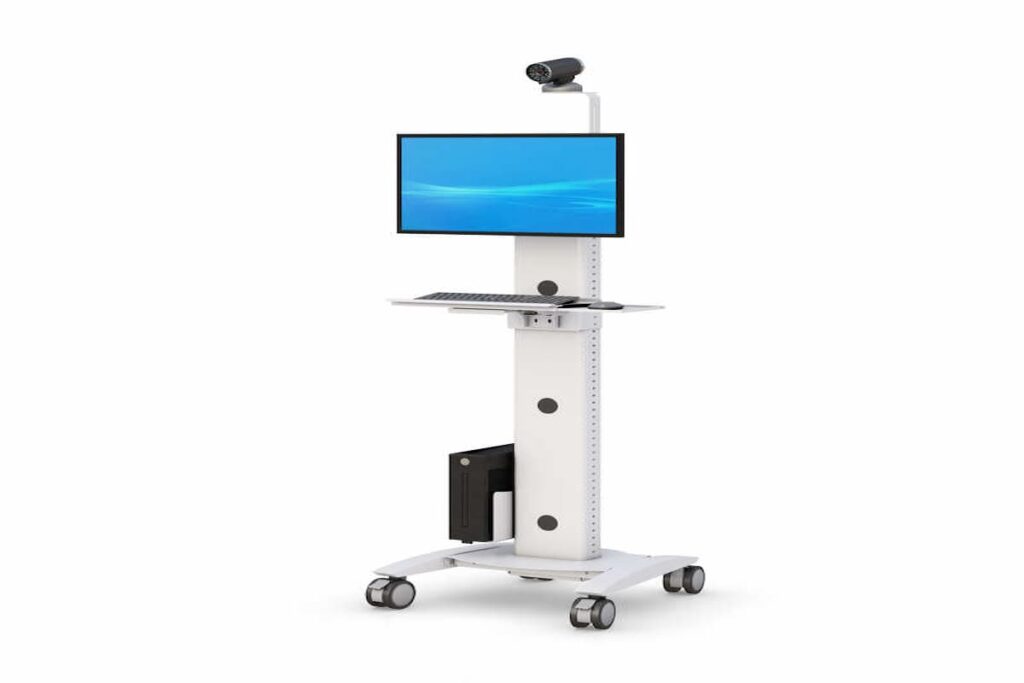
A mobile monitor stand is a wheeled display mounting structure that allows screens to be repositioned without drilling, permanent mounting, or restructuring the workspace. It’s a straightforward product category with a surprisingly wide range of correct and incorrect specifications, and the gap between the two shows up in daily use rather than on a specification sheet.
The case for mobile over fixed is not complicated. A fixed monitor is in one place for the life of the installation. That’s fine if the work always happens in that place, one person always uses that station, and the display’s height and angle never need to change. Most workplaces don’t work that way anymore. Hot-desking environments have five different people at the same station across a day. Clinical staff need to document at the bedside, not at a station down the corridor. Trainers need to position a screen where the audience can see it, not where the cable is routed. A mobile stand solves all of those problems with the same mechanism: it moves where the work is.
Research from the Leesman Index on workplace effectiveness consistently finds that the ability to reconfigure and personalise workstation setup is among the top predictors of employee-reported productivity. Screen position is one of the most visible and frequently cited sources of dissatisfaction in shared workspace environments. A mobile stand makes that variable controllable.
AFC Industries PA is a Pennsylvania-based workspace solutions specialist, independent from AFC Industries. We supply mobile monitor stands, computer carts, and ergonomic mounts to healthcare facilities, corporate offices, industrial operations, and AV environments across the Mid-Atlantic region.
What Types of Mobile Monitor Stand Are Available?
The mistake most buyers make is searching for “mobile monitor stand” and buying the first result that fits their screen size. The product category covers six distinct stand types with different load capacities, height ranges, base configurations, and environmental specifications. Using the wrong type doesn’t just underperform — it actively creates problems. A single-pole stand that’s top-heavy with a 43-inch display. A presentation cart stand used for bedside clinical documentation with no antimicrobial surface. An office-grade pole stand on a manufacturing floor where the vibration loosens the pole fasteners within six months.
The table below maps each stand type to its correct use case and the specification points that determine whether it’s the right choice.
|
Stand Type |
Best For |
Primary Use Environment |
Key Specification Points |
|
Single-Screen Pole Stand |
1 monitor, occasional relocation |
Training rooms, reception desks, bedside computing, signage |
Lightweight and manoeuvrable. VESA compatible. Height pole allows tilt/pan adjustment. Limited load capacity for large displays. |
|
Dual / Multi-Screen Stand |
2–4 monitors, shared environments |
NOC, SOC, trading desks, collaborative office, control rooms |
Heavier base required for stability. Monitor array positioning needs to be adjustable independently. Wide wheelbase for load distribution. |
|
Height-Adjustable Mobile Stand |
Variable user heights, hot-desking |
Open-plan offices, hybrid workspaces, hot-desk environments |
Electric or pneumatic height adjustment rated for full monitor payload at all heights. Critical for multi-user environments. |
|
AV / Presentation Cart Stand |
Large display or TV, event use |
Conference rooms, lecture halls, training events, showroom floors |
Higher load capacity for 50–86″ displays. Tilting mechanism. Lockable wheels essential — heavy displays tip easily if unlocked. |
|
Industrial Monitor Stand |
Rugged use, dust/moisture exposure |
Manufacturing floor, warehouse, outdoor covered environments |
IP-rated enclosure or sealed monitor mount. Anti-vibration base. Heavy-duty casters for uneven surfaces. Powder coat or stainless frame. |
|
Medical / Clinical Stand |
Point-of-care computing, bedside |
Nurse stations, patient rooms, procedure rooms, pharmacy dispensing |
Antimicrobial surfaces. Sealed cable routing. Height adjust for seated/standing clinical documentation. Compatible with clinical disinfectants. |
What Is the Difference Between a Mobile Monitor Stand and a Computer Cart?
The distinction matters for specification purposes. A mobile monitor stand is primarily a display mounting and positioning device. Its job is to hold one or more screens at the right height and angle, move between locations, and stay stable during use. It may or may not carry other equipment.
A computer cart carries a full workstation — computer, monitor, keyboard, peripherals, power distribution — as a self-contained mobile unit. It’s heavier, more complex, and serves a different operational need: bringing a complete working environment to the task rather than just repositioning a display.
For environments that need the full mobile workstation rather than display positioning alone, AFC Industries PA’s computer carts and medical carts cover that requirement.
What Features Should You Look for in a Mobile Monitor Stand?
1. Smooth Mobility with Locking Wheels
The caster specification for a mobile monitor stand is driven by two factors that most product listings don’t address directly: the floor surface and the load.
Hard floors (polished concrete, vinyl, hardwood) need soft-compound casters — polyurethane or soft rubber — that grip the surface without scratching it and roll smoothly without requiring significant push force. Hard nylon or hard rubber casters on a hard floor roll roughly, scratch the surface, and feel unstable. On carpet, the opposite applies: soft casters compress into pile and create rolling resistance that makes repositioning unnecessarily difficult.
The locking mechanism matters as much as the rolling performance. A stand carrying a 32-inch monitor at 200cm height has significant tipping leverage. A brake lock that engages cleanly and holds under lateral loading is a safety specification, not a convenience feature. Brake locks that can be kicked accidentally, that require the operator to bend down to engage, or that don’t hold under the vibration load of a nearby machine are specification failures regardless of how well the stand rolls.
2. Height Adjustability for Ergonomic Positioning
The ergonomic case for height-adjustable monitor stands is the same as for all adjustable workstation equipment: different people have different eye heights, and the screen needs to sit at or just below eye level for neutral cervical spine posture. A fixed-height stand is right for approximately no one except the person it was calibrated for.
Cornell University’s ergonomics research found that correct monitor positioning reduces cervical spine loading by up to 45% compared to a fixed stand at the wrong height. In a single-user environment, that means setting the height once correctly. In a shared environment — hot-desks, clinical stations, training rooms — it means the stand needs to adjust quickly and stay at the adjusted height reliably. A height mechanism that drifts back to a previous position, requires tools to adjust, or takes more than ten seconds to change is a mechanism that doesn’t get adjusted, which means it’s wrong for most of the people using it.
AFC Industries PA’s ergonomic mounts range covers fixed-arm, single-arm, and track-mounted monitor configurations for environments where the stand needs to integrate with a wider workstation specification.
3. Multi-Monitor Compatibility
Multi-monitor stands carry a different set of structural requirements from single-screen configurations. The combined weight of two 27-inch monitors is typically 10–14kg — manageable on a properly designed stand. Four 27-inch monitors is 20–28kg at height, with all of that weight cantilevered from the base. The base needs to be wide enough, heavy enough, and the pole section rigid enough to prevent the assembly from swaying when a monitor is adjusted or the stand is repositioned.
The individual monitor mount heads on a multi-screen stand need to be independently adjustable — tilt, pan, and ideally height per screen — because the optimal position for the primary monitoring screen is different from the optimal position for a secondary reference screen. A stand that requires all screens to move together doesn’t solve the multi-screen positioning problem; it just moves it as a group.
4. Stable and Durable Construction
Stability in a mobile monitor stand is a function of three things: base footprint, base weight, and the height-to-base ratio of the loaded assembly. A narrow base with a tall pole and a large monitor at the top is an unstable configuration regardless of how robustly the individual components are built. The base needs to extend far enough in front of and behind the pole to prevent forward or rearward tipping when the monitor is tilted or when someone accidentally pushes the top of the stand.
The durability question is mostly about the height adjustment mechanism and the pole-to-base connection. These are the two structural points that carry the most stress in daily operation. Gas-cylinder mechanisms drift over time if the cylinder seal deteriorates. Electric mechanisms fail if the motor is undersized for the display payload. Pole-to-base connections that rely on friction rather than positive locking loosen over repeated relocation cycles. Ask for rated payload capacity and adjustment cycle ratings — not just whether the stand adjusts.
5. Cable Management and Organisation
An unsecured cable on a mobile monitor stand is a cable that swings during transit, gets caught on corners, and creates a snag that eventually damages the connector. It’s also a cable that the operator has to handle every time the stand moves — disconnecting, re-routing, reconnecting — which converts a ten-second move into a two-minute procedure.
Integrated cable management means the cables from the display run inside the pole column rather than alongside it, emerge at the base at a fixed exit point, and have enough slack to accommodate height adjustment without becoming taut at any position in the adjustment range. That’s not complicated to engineer. It’s also not standard on most budget stands, which is one of the real differences between a $200 stand and a $600 one.
6. Integration with Complete Workstation Systems
A mobile monitor stand that only holds a screen serves a limited set of use cases. Most operational environments need the stand to integrate with other components — keyboard tray, peripheral mounting, power strip, cable management for connected devices — without becoming structurally unstable or visually chaotic.
AFC Industries PA’s mobile monitor stands integrate with workstation accessories, track mount systems, and custom product builds for environments where the stand needs to be part of a fully specified workstation configuration. The product configurator maps compatibility across the full product range.
When Do You Actually Need a Mobile Monitor Stand?
Mobile monitor stands aren’t the right answer for every display installation, and buying one for a use case that’s actually better served by a fixed wall mount or a desktop arm wastes money on mobility you’ll never use. Three questions clarify when mobile is genuinely the right specification:
- Does the display need to serve multiple locations? If the screen stays in one spot for its entire operational life, a fixed mount — wall, desk-clamp, or ceiling — is more stable, takes up less floor space, and typically costs less than a mobile stand of equivalent quality.
- Does the display need to serve multiple users with different positioning needs? If yes, and those users are in different locations rather than the same station, mobile is the answer. If they’re at the same station, a desktop ergonomic arm solves the problem without the base footprint.
- Does the operational workflow require the screen to travel with the operator rather than the operator walking to the screen? Clinical bedside computing, industrial work instruction delivery, and training presentation scenarios are the clearest cases. The screen needs to be where the work is, and the work moves.
How Do You Choose the Right Mobile Monitor Stand?
The specification process has a clear failure mode: starting with the product and working backwards to the requirement. The correct sequence is the other way around. Six questions determine what the stand actually needs to do before any product is evaluated:
|
# |
Question to Answer First |
Why It Changes What You Buy |
|
1 |
How many monitors, and what are their sizes and weights? |
VESA pattern, screen size (diagonal), and weight per display determine which mount head, which pole, and what base load rating is required. Measure before specifying. |
|
2 |
How many different people will use this stand, and what is their height range? |
A single-user stand can be set once and left. A shared stand needs height adjustment range wide enough for the full distribution of users — not just the tallest and shortest. |
|
3 |
How often will it be moved, and over what floor surfaces? |
Daily relocation on hard flooring has different caster requirements from weekly relocation on carpet. Soft-wheel casters for hard floors, hard-wheel for carpet — reversed feels wrong and causes excess rolling resistance. |
|
4 |
What is the display doing when stationary — monitoring, documentation, or presentation? |
A presentation stand needs tilt for audience visibility. A monitoring stand needs precise fixed positioning. A documentation stand needs height-adjust for the operator, not audience. These are different products. |
|
5 |
Does the stand need to integrate with other equipment — keyboard, power strip, accessories? |
A stand that carries only a monitor is a product. A stand that carries a monitor, keyboard tray, and peripheral power is a workstation. The base, pole, and cable management need to be specified for that total load and configuration. |
|
6 |
Is the environment office-grade or does it require specialist spec — clinical, industrial, outdoor? |
Office-grade stands are not built for IP-rated environments, antimicrobial surface requirements, or anti-vibration industrial floors. Specify the environment before the product, not after. |
How Do Mobile Monitor Stands Improve Efficiency and ROI?
The efficiency case is most directly visible in healthcare. A 2014 study in the Journal of the American Medical Informatics Association found that mobile computing at the point of care — bringing the screen to the patient rather than leaving it at a fixed station — increased direct patient care time by 41 minutes per shift per nurse. That’s time recovered from walking to and from fixed workstations. In a 50-nurse ward over a year, that compounds into significant productivity recovery and reduced staff fatigue.
In corporate environments, the ROI is less dramatically quantifiable but equally real. A training room with a mobile presentation stand that can be repositioned for different room configurations costs less in AV infrastructure than fixed installed displays, and allows the room to serve multiple purposes without reconfiguration days. A hot-desk environment with height-adjustable mobile stands eliminates the ergonomic complaints and productivity friction of fixed-height monitors that suit nobody correctly.
The durability dimension matters for ROI too. A mobile monitor stand specified correctly for the environment — right caster for the floor, right load rating for the displays, right height mechanism for the usage frequency — has a significantly longer service life than one that was bought on price alone and fails within two years in the conditions it operates in.
Where Are Mobile Monitor Stands Most Useful?
The environments where mobile monitor stands deliver the clearest operational value are those where the relationship between screen position and task location changes frequently, serves multiple users, or requires specialist material specification. The table below covers the six environments where that combination is most common.
|
Environment |
Primary Use Case |
Recommended Stand Configuration |
Why This Spec — Not Another |
|
Hybrid Office |
Hot-desking, presentation, collaboration |
Height-adjustable dual-screen stand with memory presets; single-screen pole stand for ad-hoc collaboration |
Screen position is wrong for 80% of users when it’s set for the average — height adjust is not optional in shared environments |
|
Healthcare Point-of-Care |
Bedside documentation, medication verification |
Medical-grade antimicrobial surface; height adj. for seated/standing; sealed cable routing; clinical disinfectant-rated materials |
Clinical staff document at different heights from the patient bed — fixed stand height creates sustained awkward posture over every shift |
|
IT Operations / NOC |
Multi-feed monitoring, incident response |
Dual or triple screen stand; fixed precision positioning; low-glare dark surface; minimal vibration at monitor level |
Imprecise screen positioning accumulates into neck strain over 8-12hr monitoring sessions — same problem as control room consoles |
|
Education / Training |
Instructor demonstrations, student viewing |
Large-screen AV cart stand; tilt mechanism for audience angle; lockable wheels; height-adjustable for multiple room types |
A presentation display at the wrong height for the room loses audience sight lines and forces the presenter to work around the stand |
|
Manufacturing Floor |
Work instructions, quality data access |
Industrial stand with IP-rated mount or sealed enclosure; anti-vibration base; heavy-duty casters for uneven floors |
Standard office monitor stands fail within months on vibrating, uneven industrial floors — wrong materials and wrong caster specification |
|
Retail / Showroom |
Customer-facing displays, product demos |
Compact single-screen stand; tilting head for customer viewing angle; aesthetically finished frame; lockable for security |
Customer-facing displays need to be pointed at the customer, not at the ceiling or the floor — tilt mechanism is the functional requirement |
How Do Mobile Monitor Stands Fit Into Modern Workspaces?
The shift toward hybrid work, activity-based office design, and flexible clinical environments has made static display installations increasingly impractical. A room that serves as a team meeting space in the morning, a training room in the afternoon, and a client presentation space in the evening cannot have its screens fixed to one wall at one height for one audience configuration. The mobile stand is what makes that flexibility operationally viable.
The design implication for workspace planning is that mobile monitor stands should be specified as part of the initial workplace design rather than purchased reactively when fixed screens turn out to be insufficient. A room designed around the assumption of mobile displays — with floor surfaces and cable access points that support them — functions better than a room retrofitted with stands after the fact.
AFC Industries PA’s industrial product range and custom products cover specialist mobile stand configurations for environments that standard products don’t address. The product configurator is the starting point for any workspace design that incorporates mobile display solutions.
What Does a Mobile Monitor Stand Cost?
The price range is wide, and the variation is mostly explained by screen count, load rating, height mechanism quality, and whether the specification includes any environmental or clinical requirements. Realistic benchmarks:
- Single-screen pole stand (office-grade, 1 monitor up to 32 inches, manual height adjust): $80–$300. Suitable for occasional relocation in standard office environments. Quality varies significantly at this price point — load rating and height mechanism stability are the key differentiators.
- Dual / multi-screen mobile stand (2–4 monitors, wider base, independent adjustment): $300–$900. The structural requirements for multi-screen loading increase significantly. Undersized bases at the low end of this range are a tipping risk.
- Height-adjustable electric mobile stand (single or dual screen, electric height adjustment): $400–$1,200. Mechanism quality varies widely. Ask for rated payload capacity at maximum extension and adjustment cycle rating.
- AV / presentation cart stand (large format display 50–86 inches, high load rating): $300–$800 for standard AV cart configurations. Heavy-duty or motorised tilt versions run higher.
- Industrial monitor stand (rugged construction, IP-rated or anti-vibration): $500–$2,000+ depending on IP rating, frame material (powder coat vs stainless), and environmental certification requirements.
- Medical / clinical mobile stand (antimicrobial surfaces, clinical disinfectant rated, sealed cable management): $600–$2,500. Pricing reflects material and certification requirements specific to clinical environments.
For multi-unit procurement, volume pricing through a specialist supplier like AFC Industries PA consistently reduces per-unit cost and includes compatibility consultation to ensure the stand specification works with the existing or planned workstation configuration.
Conclusion: Match the Stand to the Work, Not the Screen Size
The specification error that produces the most problems with mobile monitor stands is choosing based on screen size compatibility and price. A stand that fits the screen and costs the least is a stand that may be top-heavy for the display weight, wrong-caster for the floor surface, not height-adjustable for a multi-user environment, and office-rated for a clinical or industrial application. It holds the screen. It doesn’t solve the operational problem.
The stands that perform well over time are those specified in the opposite order: start with the use case (who uses this, how often does it move, what environment does it operate in, what does it need to carry), then find the product category that fits that use case, then evaluate specific products within that category on load rating, mechanism quality, and compatibility with the surrounding workspace.
AFC Industries PA is a Pennsylvania-based workspace solutions specialist, independent from AFC Industries. We supply mobile monitor stands, computer carts, and ergonomic mounts for office, clinical, industrial, and AV environments across Pennsylvania and the Mid-Atlantic region. Explore computer carts, ergonomic mounts, and workstation accessories. Use the product configurator to build a configuration, browse the full shop, or contact the team to discuss your display count, environment, and mobility requirements. More about AFC Industries PA is on the About Us page.