
A computer workstation is more than just a desktop with a monitor. It’s a high-performance computing environment designed for demanding professional tasks like video editing, deep learning, and data analysis. For Pennsylvania professionals in 2026, choosing the right setup has become essential.
This guide covers ergonomic designs, mobile solutions, and industrial applications tailored for Pennsylvania businesses. Whether you’re a data scientist working from a Berwick co-working space or managing logistics at a warehouse, you’ll find actionable insights here. Consequently, the focus remains on productivity, flexibility, and workspace optimization.
Quick Answer: A computer workstation combines powerful hardware, ergonomic furniture, and specialized peripherals to support intensive professional tasks. Pennsylvania professionals need them to handle demanding workloads while maximizing limited office space.
By the end of this guide, you’ll understand:
- The difference between workstations and regular desktops
- Ergonomic benefits that boost productivity and health
- Mobile and standing configurations for hybrid work
- How to select the right setup for your exact needs
Understanding Computer Workstations in 2026
A computer workstation differs significantly from standard desktops. While regular PCs handle word processing and browsing, workstations deliver professional-grade performance. They feature discrete graphics cards, ECC memory for reliability, and support for multi monitor setups. Additionally, they carry ISV certifications ensuring stability with specialized software.
In Pennsylvania’s fast-paced business environment, this distinction matters. Real estate costs force professionals into small spaces. Meanwhile, industries like finance, media, and tech demand serious computing power. Therefore, workstation computers become essential tools rather than luxury purchases.
Core Components and Performance Features
Modern workstations typically include multi-core processors from Intel or AMD Ryzen lineups. These handle complex tasks like 3D rendering and AI applications efficiently. Professional graphics cards support data scientists and AI developers running deep learning models. Furthermore, ECC memory prevents data corruption during critical processes.
For Pennsylvania professionals in finance, these features enable real-time market analysis. In design studios, they power seamless video editing workflows. The added convenience of expandable storage means projects stay accessible without external drives cluttering your desk.
Ergonomic Design Evolution
Ergonomic standards in 2026 have evolved dramatically. Adaptive systems now use sensors to monitor posture and provide feedback. Studies show these technologies reduce musculoskeletal discomfort by nearly 58% compared to static setups. Clearly, this benefits professionals who spend long hours at their workspace.
Pennsylvania State workplace regulations emphasize employee health through initiatives. This program encourages movement and periodic breaks. As a result, ergonomic workstation design has become integral to compliance and productivity. Explore ergonomic solutions that align with these standards.
Types of Computer Workstations for Pennsylvania Professionals
Building on ergonomic foundations, let’s examine specific configurations. Each type serves distinct professional needs while addressing Pennsylvania’s unique challenges.
Mobile Computer Workstation Solutions
A mobile computer workstation provides portability without sacrificing performance. These solutions benefit professionals splitting time between office, home, and client locations. They integrate seamlessly with public transportation routines and co-working spaces common across the city.
Modern mobile workstations feature discrete GPUs and at least 32GB of RAM. However, battery life remains a consideration—heavy tasks drain power quickly. Still, for consultants, architects, and journalists, the flexibility outweighs these trade-offs. The ability to deliver presentations or process data anywhere provides undeniable advantages.
Standing Computer Workstation Configurations
A standing computer workstation addresses sedentary work concerns affecting Pennsylvania professionals. The standing desk market reached $8.7 billion in 2025, reflecting growing demand. Approximately 60% of co-working spaces now offer height-adjustable desks as standard equipment.
These configurations suit long work hours typical in Pennsylvania business culture. Health benefits include reduced back pain and improved circulation. Moreover, space-efficient designs work well in cramped Berwick offices. Electric models allow easy height adjustment throughout the day. Browse standing desk options designed for professional environments.
Industrial Mobile Computer Workstation Applications
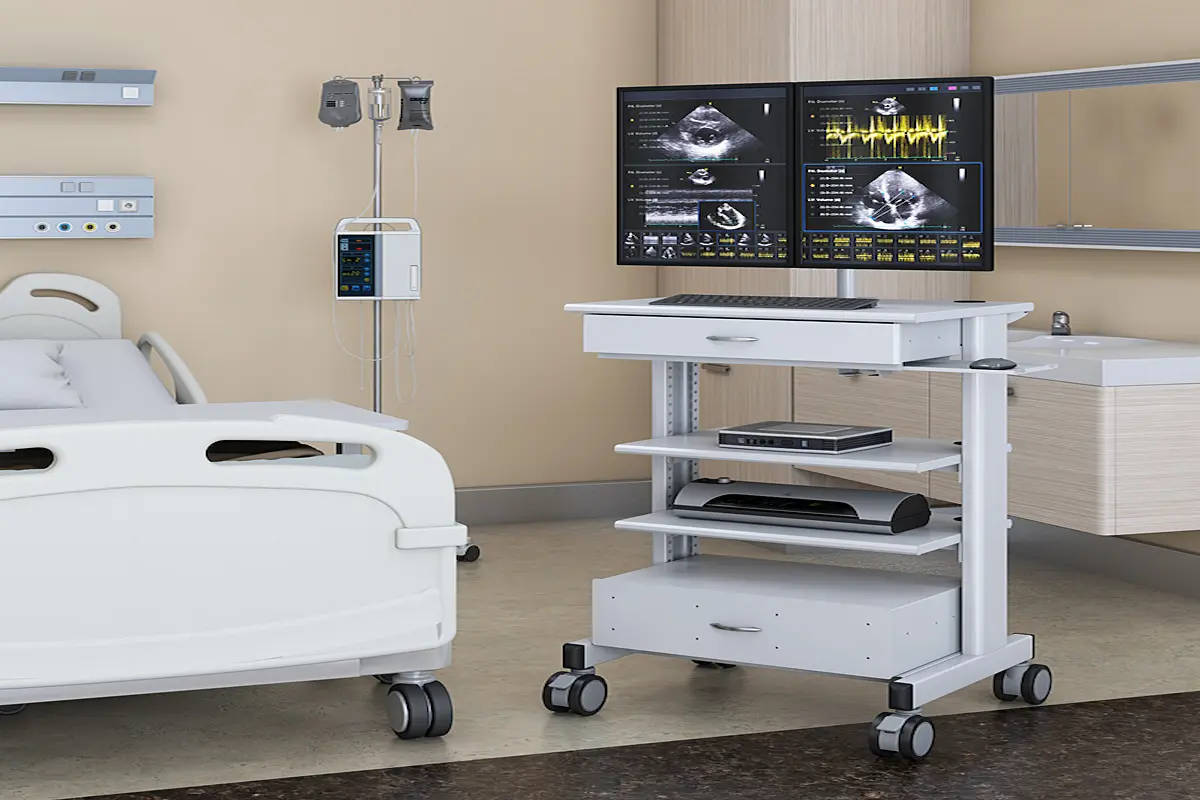
An industrial mobile computer workstation serves manufacturing, healthcare, and logistics operations. These rugged solutions withstand demanding environments at Pennsylvania ports, hospitals, and construction sites. Mobility features include wheels and durable surfaces that handle constant movement.
Healthcare facilities use mobile carts for bedside diagnostics. Warehouse operations depend on them for inventory management. Construction sites benefit from portable command stations. The key difference lies in build quality—industrial units prioritize durability over aesthetics.
Choosing and Implementing Workstations in Pennsylvania
Selecting the right computer workstation desk setup requires systematic evaluation. Pennsylvania’s unique constraints—from old building infrastructure to expensive square footage—demand careful planning.
Selection Process for 2026
Follow these steps when evaluating your needs:
- Assess workspace constraints – Measure available space, ceiling height, and power outlet accessibility
- Determine performance requirements – Match hardware to applications like CAD, ML, or video editing
- Evaluate mobility needs – Consider travel patterns between locations
- Check infrastructure compatibility – Older buildings may lack adequate electrical capacity
- Plan for scalability – Choose modular systems that accommodate future technology updates
Computer Workstation Desk Integration
|
Criterion |
Traditional Desk |
Ergonomic Workstation Desk |
Industrial Mobile Unit |
|
Space Efficiency |
Moderate |
High |
Variable |
|
Ergonomic Features |
Basic |
Advanced |
Task-specific |
|
Mobility |
None |
Limited |
Full |
|
Cost |
Low |
Moderate |
Higher |
Traditional setups work for stable operations. Ergonomic desks suit professionals prioritizing health and flexibility. Industrial units serve demanding field applications. Contact specialists for guidance matching solutions to your situation.
Common Challenges and Solutions
Pennsylvania workspace realities create specific obstacles. Here’s how to address them effectively.
Limited Office Space in Berwick
Vertical storage and slim-profile desks maximize footprints. Multi-functional furniture serves dual purposes. Modular configurations adapt as teams grow or shrink.
Ergonomic Compliance and Employee Health
Meeting Pennsylvania State safety requirements protects employees and businesses alike. Adjustable equipment reduces repetitive strain injuries. Training ensures workers utilize ergonomic features correctly.
Technology Integration with Legacy Systems
Many Pennsylvania buildings have older infrastructure. Cloud-based solutions offload computing demands. Wireless peripherals reduce cable management challenges. Retrofit options upgrade existing furniture affordably.
Conclusion and Next Steps
The right computer workstation transforms how Pennsylvania professionals work. From ergonomic health benefits to mobile flexibility, these solutions address real challenges. Performance, reliability, and space efficiency matter equally in Pennsylvania’s demanding environment.
Take these steps today:
- Evaluate your current workspace constraints
- Identify performance requirements for your applications
- Learn more about available solutions
- Request consultations for customized recommendations
Future trends point toward smarter adaptive furniture and sustainable materials. Staying informed helps you make decisions that serve your team for years ahead.
Frequently Asked Questions
What makes a computer workstation different from a regular PC? Workstations feature professional-grade components including discrete graphics, ECC memory, and ISV certifications. These deliver the reliability and performance that demanding applications require.
How much space does a standing computer workstation need? Most standing desks require similar footprints to traditional desks. However, ensure adequate clearance for height adjustment—typically 20-30 inches above the desk surface.
Are mobile workstations suitable for video editing? Yes, modern mobile workstations handle video editing effectively. Look for models with discrete GPUs, at least 32GB RAM, and fast NVMe storage for optimal performance.
What ergonomic features should Pennsylvania professionals prioritize? Height adjustability, proper monitor positioning, and keyboard placement matter most. These features reduce strain during long work hours common in Pennsylvania business culture.
How do industrial mobile workstations differ from regular setups? Industrial units use rugged materials, include mobility features like wheels, and withstand harsh environments. They’re designed for healthcare, logistics, and manufacturing applications.
Can older Pennsylvania office buildings support modern workstation setups? Yes, with proper planning. Consider power requirements, cable management solutions, and retrofit options that upgrade existing furniture rather than complete replacements.