
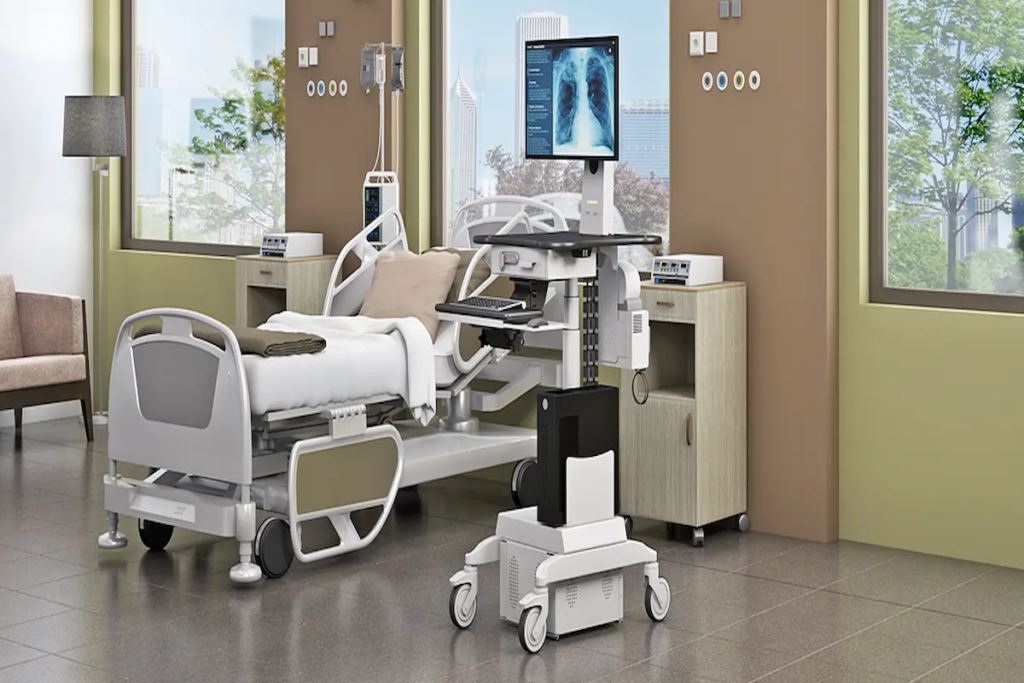
Virtual Care Workstations: The Specialist Remote Configuration Guide for Radiology, Cleanrooms, and Diagnostic Services
|
⚡ Quick Summary • Virtual care workstations are not a single product category. A radiologist reading diagnostic imaging from home, a QA manager monitoring a pharmaceutical cleanroom batch remotely, and a clinician conducting a telehealth consultation have three different workstation specifications with almost nothing in common beyond internet connectivity. • A radiology home workstation requires a DICOM-calibrated medical-grade display, controlled ambient lighting below 50 lux, secure PACS connectivity at minimum 25 Mbps, and a calibration management programme with documentation for ACR or NHS accreditation. A consumer monitor in a home office fails every one of those requirements. • A cleanroom remote monitoring workstation requires 21 CFR Part 11-compliant electronic batch record access, SCADA/LIMS connectivity, low-latency video for process monitoring, and documented audit trails for all remote regulatory activity — not a standard video conferencing setup. • Six specialist virtual care workstation types serve different remote healthcare and regulated industry functions. The specification failure mode in each is applying a general office workstation to a role that requires specialist equipment to perform its function to the required standard. • AFC Industries PA supplies specialist virtual care workstations and cleanroom remote configurations. Use the product configurator or contact the team to discuss your specialist remote workstation requirements. |
What Is a Virtual Care Workstation and Why Does Specialist Remote Work Require Different Specifications?
The phrase ‘virtual care workstation’ covers an enormous range of clinical and regulated activities that have almost nothing in common except that they happen away from the primary facility. A radiologist reading MRI studies from home. A pharmaceutical quality director releasing a batch from a remote office. An intensivist monitoring twelve ICU beds from a tele-ICU hub. A cardiologist interpreting an ECG transmitted from a spoke hospital.
Each of those activities requires equipment that meets the specific technical standard for the function being performed remotely — not a general-purpose workstation that approximates it. The failure mode for under-specification is not inconvenience. It’s missed diagnoses, failed accreditation audits, regulatory breaches, and compromised patient safety in contexts where the remote worker is the last line of specialist oversight.
The American College of Radiology publishes specific technical standards for teleradiology workstations that include display luminance requirements, DICOM calibration standards, ambient lighting conditions, and PACS connectivity specifications. Those standards exist because radiologists reading on non-compliant equipment produce diagnostic outputs of lower reliability — not hypothetically, but documented in the ACR accreditation data.
This blog covers the specialist remote workstation territory that the rest of the AFC Industries PA series hasn’t addressed: diagnostic imaging from home, regulated industry remote monitoring, and the virtual care workstation landscape beyond general telemedicine consultation. For general telehealth cart configuration see Blog 28. For programme-level telehealth scaling see Blog 34. For cardiology specialist teleconsultation see Blog 32.
AFC Industries PA is a Pennsylvania-based workspace solutions specialist, independent from AFC Industries.
What Are the Different Types of Virtual Care Workstations?
Six distinct specialist virtual care workstation types serve different remote healthcare and regulated industry functions. The table below maps each type to its primary user, key specification, and where this series covers it in depth.
|
Workstation Type |
Primary User |
Key Specification |
Series Reference / Note |
|
Clinical Telehealth Cart |
Consulting clinician in hospital, clinic, or community |
Mobility-first; camera at eye-level; directional mic; UPS; hygiene-rated surface |
Covered in Blog 28. The mobile cart is the clinical environment the patient sees. |
|
Radiology Home Workstation |
Radiologist reading from home or remote site |
Diagnostic-grade medical display; DICOM calibration; PACS connectivity; controlled ambient lighting |
Covered in this blog. The display quality directly determines diagnostic accuracy. |
|
Specialist Consultation Station |
Cardiologist, dermatologist, psychiatrist connecting to patient at another site |
Specialty-specific device integration (ECG, dermoscope, video assessment); platform-specific requirements |
Cardiology covered in Blog 32. Specialty devices determine configuration. |
|
Administrative Virtual Workstation |
Clinical admin, coding, prior authorisation, MDT documentation |
Standard high-resolution display; secure VPN; EMR access; video conferencing for MDT; ergonomic configuration for 8-hour sessions |
Not diagnostic-grade display required but sustained-use ergonomics matter as much as clinical workstations. |
|
Cleanroom Remote Monitoring Station |
QA/QC manager, batch release officer, environmental monitoring supervisor |
SCADA/LIMS/eBMR connectivity; high-resolution process data display; 21 CFR Part 11 compliant access; low latency |
Covered in this blog. Regulatory compliance is the primary specification driver. |
|
ICU Remote Intensivist Station |
Tele-ICU specialist monitoring multiple remote ICU beds |
High-resolution multi-bed monitoring display; alarm management integration; low-latency video to bedside; EHR access |
Tele-ICU programmes require 5-9 patient bay feeds simultaneously. Multi-monitor configuration and alarm integration are the primary specs. |
The tele-ICU workstation type deserves a specific note. A tele-intensivist monitoring twelve ICU patient bays simultaneously from a remote command centre needs a very different display configuration from any of the other types — typically a large-format multi-feed display or a multi-monitor array showing simultaneous patient vital signs, ventilator waveforms, and video feeds. That configuration is a specialist engineering product, not a standard telehealth cart with extra monitors.
What Does a Radiology Home Workstation Actually Require?
The radiology home workstation is the most technically demanding specialist remote workstation in healthcare. Diagnostic imaging requires that the radiologist sees what the image actually contains — not a close approximation, not a reasonably similar rendering, but a display of the DICOM data that meets the same grayscale accuracy standard as the diagnostic workstation in the reading room. Any deviation from that standard is a diagnostic risk.
The ACR Technical Standard for Teleradiology specifies minimum performance requirements for remote reading workstations. The NHS equivalent is the Royal College of Radiologists’ standards for remote working in radiology. Both documents specify medical-grade display, DICOM calibration, controlled ambient lighting, and secure PACS connectivity as mandatory requirements — not recommendations. The table below maps the six primary specification elements to their clinical and technical standards and explains why approximation is not an acceptable substitute.
|
Specification Element |
Clinical/Technical Standard |
Home Workstation Configuration Requirement |
Why It Can’t Be Approximated |
|
Diagnostic Display |
3MP or 5MP medical-grade display; DICOM GSDF calibrated; ACR-compliant luminance |
Minimum 3MP for general radiology; 5MP for mammography; calibrated to DICOM Grayscale Standard Display Function monthly |
Consumer monitors are not diagnostic-grade regardless of resolution. DICOM calibration ensures consistent grayscale rendering for diagnostic accuracy. |
|
Display Luminance |
Minimum 350 cd/m² (ACR standard for diagnostic reading) |
Ambient light in the reading room must be controlled — typically below 50 lux for diagnostic reading conditions |
A diagnostic display at correct luminance in an uncontrolled ambient light environment (home office with window) produces a reading environment that fails ACR standards. |
|
PACS Connectivity |
Secure VPN or zero-trust network access to hospital PACS |
Encrypted connection with multi-factor authentication; minimum 25 Mbps download for CT/MRI series loading without delay |
An insecure PACS connection is a HIPAA breach risk. A slow connection causes image loading delays that add to reading time and create report backlog. |
|
Workstation Hardware |
Medical-grade workstation; dedicated GPU for 3D rendering; sufficient RAM for large DICOM series |
Minimum 32GB RAM for CT/PET series; dedicated NVIDIA Quadro or AMD Radeon Pro GPU for MPR and 3D reconstruction workflow |
Consumer PC hardware cannot reliably render large DICOM series or 3D reconstructions at the speed required for efficient diagnostic reading. |
|
Calibration Management |
DICOM QA software for automatic luminance tracking; calibration logging |
Monthly or quarterly calibration depending on use intensity; calibration certificate stored for ACR accreditation documentation |
ACR and NHS accreditation requires documented display calibration evidence. A home workstation without calibration logs fails the accreditation standard regardless of display quality. |
|
Ergonomic Configuration |
Reading room ergonomics for extended diagnostic sessions; 2–3 monitor configuration standard |
Eye level at top of primary diagnostic display; keyboard and mouse at neutral wrist position; ambient lighting controlled and indirect |
Radiologists reading 100–200 studies per session spend 6–8 hours at the workstation. Poor ergonomics in this context produce the same MSK injury pattern as any sustained static workstation, compounded by sustained high visual attention. |
What Is DICOM GSDF Calibration and Why Does It Matter for Radiology Home Workstations?
The DICOM Grayscale Standard Display Function (GSDF) is an international standard that defines how medical displays should render grayscale values so that each step between black and white appears equally spaced to the human visual system. A display calibrated to DICOM GSDF produces consistent grayscale rendering regardless of the display technology or luminance level — which means a radiologist reads the same image the same way on a calibrated home workstation as on a calibrated department workstation.
A consumer monitor is not calibrated to DICOM GSDF. Its grayscale rendering is optimised for video and general computing content — which produces a different grayscale curve from the DICOM standard. The practical consequence: subtle density differences in X-ray, CT, or MRI images that are diagnostically significant may be rendered differently on a non-calibrated consumer display, increasing the likelihood of a missed or mischaracterised finding.
DICOM calibration requires a calibrated photometer (external luminance measurement device), DICOM QA software, and a display that can be adjusted to the DICOM GSDF curve. It is performed at installation and repeated at intervals — typically monthly for high-volume reading, quarterly for lower volume. Each calibration is documented and stored for ACR accreditation evidence submission.
AFC Industries PA supplies DICOM-compatible display configurations and calibration management setups for radiology home workstation builds. Contact the team to discuss display grade, calibration management, and PACS connectivity requirements for your radiology remote working programme.
What Does a Cleanroom Remote Monitoring Workstation Require?
Remote monitoring of pharmaceutical manufacturing, semiconductor production, and laboratory operations from an off-site workstation has become a standard part of quality oversight operations — particularly since 2020, when the ability to maintain regulatory oversight without requiring physical presence became operationally critical.
The regulatory framework governing remote sign-off on pharmaceutical batch records is not flexible. FDA 21 CFR Part 11 requires that electronic records used to meet regulatory requirements be created, modified, maintained, archived, retrieved, and transmitted under controls equivalent to paper records. For a quality director signing off a batch release from a home workstation, that means: authenticated access with individual identity verification, audit trail for every access and action, system validation documentation, and incident management procedures for system failures.
A standard video conferencing setup and a VPN connection to the company’s file server do not constitute a 21 CFR Part 11-compliant electronic batch record system. The workstation’s access architecture must support the technical controls required by 21 CFR Part 11, including: individual user identification and authentication, computer-generated, time-stamped audit trails, controls over distribution of document copies, and use of operational system checks. The table below maps the six primary cleanroom remote monitoring functions to their workstation specification requirements.
|
Cleanroom Remote Function |
Clinical/Industrial Application |
Workstation Configuration Requirement |
Why Standard Home Office Is Inadequate |
|
Remote Process Monitoring |
Pharmaceutical batch monitoring; semiconductor process oversight |
High-resolution display for process data visualisation; dual screen for process view + documentation |
Process deviations detected via remote monitoring require the same data quality as on-site monitoring — display resolution and SCADA software rendering matter. |
|
Cleanroom Communication |
Real-time communication with in-cleanroom staff; video feed monitoring |
Low-latency video connection to cleanroom cameras; directional audio for gowned staff communication |
Communication delay in a cleanroom process deviation situation creates response lag that compounds the process impact. |
|
Electronic Batch Records |
Remote sign-off on batch documentation; 21 CFR Part 11 compliant e-signature |
Secure access to eBMR system; digital signature capability; audit trail for all remote access sessions |
Remote sign-off on batch records is FDA-regulated activity. The workstation’s access must be documented and auditable to 21 CFR Part 11 standard. |
|
QC Data Review |
Laboratory data review from remote site |
Secure connection to LIMS; display resolution adequate for chromatography data and analytical results |
A QC manager reviewing chromatography data on a low-resolution home screen may miss resolution-dependent anomalies that indicate an assay problem. |
|
Environmental Monitoring |
Remote review of cleanroom environmental data: particle counts, temperature, humidity |
Dashboard display with alert integration; connectivity to building management system |
Environmental excursion detection from a remote workstation requires the same data quality and alert responsiveness as on-site monitoring. Connectivity and display are the critical variables. |
|
Training and Oversight |
Remote supervision of cleanroom operators; training review |
Video feed access with adequate resolution for procedure verification; documentation system access |
Remote supervision of cleanroom SOPs requires video resolution sufficient to verify gowning, technique, and equipment handling — not just presence. |
How Does Remote Pharmaceutical Batch Release Work from a Virtual Workstation?
Pharmaceutical batch release is the regulatory activity that certifies a manufactured batch as meeting its specifications and approves it for distribution. In the US, the Qualified Person (QP) or Responsible Person sign-off on batch release is a regulated act with legal and patient safety implications. Performing that sign-off from a remote workstation requires the same documentary evidence as an on-site review.
The remote batch release workstation must provide: secure, authenticated access to the electronic batch manufacturing record system; video feed access to the manufacturing site for any real-time process verification queries; access to laboratory data systems for analytical result review; digital signature capability that meets 21 CFR Part 11; and a documented audit trail of every access, review, and sign-off action performed during the remote review session.
The workstation hardware — display resolution, connectivity speed, processing power — must support all of those functions without performance degradation that creates documentation gaps. A slow connection that causes eBMR page load delays increases the likelihood of the reviewer skipping review steps under time pressure. The workstation specification is a compliance risk management decision.
What Is a Tele-ICU Workstation and How Is It Configured?
Tele-ICU (or eICU) programmes connect remote intensivists with multiple ICU patient bays simultaneously, providing specialist oversight that extends the reach of limited intensivist staffing across multiple hospitals or units. The tele-ICU workstation at the hub site is a fundamentally different product from any other virtual care workstation because its primary function is simultaneous monitoring of multiple patients, not a one-to-one consultation.
The tele-ICU workstation display configuration needs to show: continuous vital signs waveforms for multiple patients; ventilator waveform data; patient camera feeds; alert management interface; and EHR access for documentation — all simultaneously. That configuration typically requires a large-format multi-feed display (55–85 inches for 6–12-bay monitoring) or a multi-monitor array with dedicated feeds per bay group. The resolution requirements are driven by the need to read numerical values and waveform patterns on multiple simultaneous feeds at a comfortable viewing distance.
Research from the Society of Critical Care Medicine found that tele-ICU programmes were associated with significantly lower ICU mortality and shorter length of stay in participating hospitals, with the quality of the monitoring infrastructure (including workstation display configuration) identified as a factor in programme effectiveness. The tele-ICU workstation that can’t display 12-bay feeds simultaneously without the intensivist scrolling between patients is a monitoring infrastructure that compromises the clinical outcome data.
How Do You Specify the Right Virtual Care Workstation?
The specification process for specialist virtual care workstations starts with the function — specifically, the minimum technical standard required to perform that function to the required clinical or regulatory quality. Everything else follows from that standard.
|
# |
Specification Question |
What It Determines |
|
1 |
What is the primary clinical or regulated function of this workstation — diagnostic imaging, process monitoring, teleconsultation, or administrative? |
The function determines the minimum acceptable specification for display quality, connectivity, software, and ergonomics. These are different minimum standards for different functions. |
|
2 |
Does this workstation support activity that requires regulatory documentation — ACR accreditation, FDA 21 CFR Part 11, HIPAA audit logging? |
Regulatory requirements must be built into the workstation configuration from day one. Retrofit compliance is expensive, inconsistent, and creates the audit gaps that accreditation reviews identify. |
|
3 |
What is the network connectivity available at the remote site, and has it been measured under load? |
Advertised bandwidth and actual bandwidth under clinical or production load are different. PACS image loading, SCADA data streams, and DICOM series transfer all require sustained bandwidth, not peak bandwidth. |
|
4 |
What ambient lighting conditions exist at the remote site, and can they be controlled? |
Diagnostic reading requires ambient light below 50 lux. A radiologist at home with a window behind them is reading in conditions that fail ACR standards regardless of display quality. Physical environment control is part of the workstation specification. |
|
5 |
Who is responsible for workstation maintenance, calibration, and technical support at the remote site? |
A calibration management plan for diagnostic displays is an accreditation requirement. An IT support model for remote workstations is an operational requirement. Both must be documented before deployment. |
|
6 |
Is this workstation used by one person or will multiple remote workers access the same profile? |
Multi-user profiles on a shared remote workstation create HIPAA audit trail complexity, display calibration management problems, and ergonomic configuration conflicts. Single-user assignment is the clinical standard for diagnostic workstations. |
What Is the Role of Ergonomics in Specialist Remote Workstations?
Ergonomics in specialist remote workstations has an intensity dimension that standard office ergonomics doesn’t address. A radiologist reading 150 studies in a six-hour session is performing a sustained high-attention visual task for the full duration. A pharmaceutical quality director conducting a batch record review is performing a detailed documentation review that requires sustained focus and precision. An intensivist monitoring 12 ICU bays is managing a complex information environment for an extended shift.
For each of those roles, the ergonomic quality of the workstation directly affects the quality of the work. A display at the wrong height creates neck strain that increases in magnitude over a six-hour reading session, degrading concentration in the final hours when diagnostic accuracy matters as much as at the beginning. A chair and desk configuration that creates lower back discomfort after two hours of batch record review increases the likelihood of the reviewer shortcutting the review process to reduce physical discomfort.
The ergonomic specification for specialist remote workstations is not a comfort upgrade — it’s a quality output specification. The specific requirements: display height with the top of the diagnostic screen at or just below eye level; keyboard and mouse at neutral wrist position; ambient lighting indirect and controllable; seating with lumbar support and adjustable height; and room layout that allows the body to move periodically rather than being locked in a single position.
AFC Industries PA integrates ergonomic mount systems into specialist remote workstation builds. For standard healthcare cart ergonomics see the clinic rolling cart guide.
What Do Specialist Virtual Care Workstations Cost?
Pricing varies substantially by the primary function and the regulatory/accreditation requirements:
- Radiology home workstation (3MP medical-grade display, DICOM calibration software, PACS-connected workstation hardware): $8,000–20,000 depending on display grade (3MP vs 5MP), hardware specification, and whether calibration management software and photometer are included.
- Pharmaceutical remote monitoring workstation (21 CFR Part 11 validated access, LIMS/eBMR connectivity, high-resolution process display, audit logging): $5,000–15,000 for the workstation hardware and software configuration. System validation documentation (IQ/OQ/PQ) is a separate project cost.
- Tele-ICU hub workstation (large-format multi-feed display or multi-monitor array, alarm integration, EHR access, intensivist communication system): $15,000–40,000+ for a fully configured hub station supporting 8–12 patient bays.
- General specialist virtual consultation station (clinical-grade display, secure VPN, EMR access, video conferencing, ergonomic configuration): $3,000–8,000. Appropriate for administrative, non-diagnostic specialist consultation and MDT participation roles.
- Custom OEM specialist workstation (specific regulated function, full compliance documentation, calibration management programme): Project-specific. AFC Industries PA develops custom specialist remote workstation configurations with full compliance documentation for regulated environments.
The cost comparison for diagnostic-grade workstations is the accreditation risk of non-compliant equipment. ACR accreditation withdrawal from a radiology practice for non-compliant remote reading workstations is a regulatory and revenue impact that dwarfs the cost of specifying correctly. FDA 483 observations for 21 CFR Part 11 non-compliance in pharmaceutical remote review activities create remediation costs and production delays orders of magnitude greater than compliant workstation specification.
Conclusion: Specialist Remote Work Requires Specialist Equipment, Not General Office Approximations
The consistent failure pattern in specialist virtual care workstation procurement is treating the remote function as equivalent to a video call with additional access to systems. It isn’t. A radiologist reading diagnostic imaging from home is performing a regulated diagnostic act that requires equipment meeting the same technical standard as hospital equipment. A pharmaceutical quality professional releasing a batch remotely is performing a regulated compliance act that requires documentation systems meeting FDA standards. An intensivist monitoring ICU patients remotely is providing critical care oversight that requires monitoring infrastructure meeting clinical safety standards.
The workstation is not incidental to those functions. It is the clinical or regulatory environment in which those functions are performed. Getting the specification wrong is not a minor inconvenience — it’s a diagnostic risk, a regulatory liability, or a patient safety gap, depending on which specialist function the workstation is under-supporting.
AFC Industries PA is a Pennsylvania-based workspace solutions specialist, independent from AFC Industries. We supply specialist virtual care workstations, radiology home workstation configurations, and cleanroom remote monitoring setups to healthcare systems, pharmaceutical manufacturers, and diagnostic services across the Mid-Atlantic region. See the full AFC Industries PA healthcare series: hygiene cart, rolling cart workflow, antimicrobial carts, telemedicine carts, tablet carts, ventilator carts, cardiology telehealth, hospital rolling carts, and telehealth programme scaling. Explore medical carts, ergonomic mounts, and custom builds. Use the product configurator, browse the full shop, or contact the team to discuss your specialist remote workstation requirements. More about AFC Industries PA is on the About Us page.