
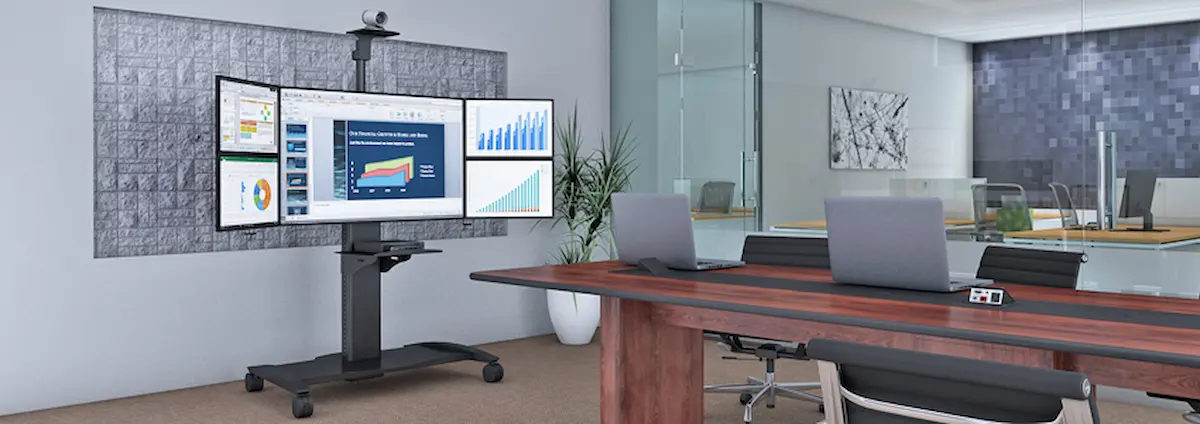
An ergonomic monitor mount is an adjustable support system that positions your computer screen at the ideal height, angle, and distance for comfortable viewing. For Pennsylvania offices, these solutions have become essential tools for reducing workplace injuries and boosting daily productivity.
This guide covers everything you need to know about monitor arms, dual monitor mounts, and adjustable stands. Whether you manage an office in Berwick or work remotely across Pennsylvania, you’ll find practical advice tailored to your needs. We focus on helping businesses select, install, and benefit from ergonomic mounting solutions that actually work.
Simply put: An ergonomic monitor mount allows you to adjust your screen position to maintain proper posture, reducing neck strain and eye fatigue while freeing up valuable desk space.
Here’s what you’ll gain from this guide:
- Understanding how proper monitor positioning prevents workplace injuries
- Clear comparisons between monitor arms, dual mounts, and stands
- Step-by-step selection criteria for Pennsylvania offices
- Practical solutions for common installation challenges
- Actionable next steps for improving your workspace today
Understanding Ergonomic Monitor Mounts
An ergonomic monitor mount replaces your standard monitor stand with an adjustable arm or support system. These mounts allow you to position your screen at eye level, reducing the strain that comes from looking up or down at your displays throughout the workday.
In Pennsylvania, soft-tissue injuries represent approximately 35.6% of all workplace injuries. Additionally, upper extremity injuries account for nearly 37.9% of reported cases. Many of these injuries stem from poor workstation ergonomics. Therefore, investing in proper monitor positioning isn’t just about comfort—it’s about protecting your team.
Health Benefits of Proper Monitor Positioning
When your monitor sits at the correct height, your neck stays in a neutral position. This simple adjustment reduces muscle tension and prevents the forward head posture that leads to chronic pain. Furthermore, positioning your screen at arm’s length (20-30 inches) with a slight upward tilt helps prevent eye strain and dry-eye complaints.
For Pennsylvania employers, these health benefits translate into real savings. Reduced injury claims mean lower workers’ compensation costs. Moreover, employees who feel comfortable stay focused longer and miss fewer workdays.
Workspace Efficiency Improvements
Beyond health benefits, ergonomic monitor arms dramatically improve your desk setup. Traditional stands consume 8-12 inches of desk space. In contrast, a clamp-mounted arm frees that area for keyboards, documents, or other essentials.
Cable management becomes simpler too. Most monitor arms include routing channels that keep cables organized and out of sight. As a result, your workspace looks cleaner and functions better. This organization supports productivity because workers spend less time adjusting their setup and more time on their actual tasks.
Types of Ergonomic Monitor Mounts Available
Now that you understand the benefits, let’s explore your options. Each mount type serves different needs and desk configurations.
Ergonomic Monitor Arms
A single monitor arm offers the most flexibility for individual workstations. These devices feature gas-spring or mechanical-spring mechanisms that allow smooth height adjustment, tilt, swivel, and rotation. Most models support VESA-compatible displays (75×75mm or 100×100mm patterns) with weight capacities ranging from 7-25 pounds.
High-quality ergonomic adjustable monitor arms provide vertical movement of up to 25 inches. This range accommodates both seated and standing positions on sit stand desks. When selecting an arm, consider your monitor’s size and weight to ensure proper support.
Ergonomic Dual Monitor Mounts
For users who need two monitors, an ergonomic dual monitor mount provides significant productivity gains. Research shows that multi-monitor setups help workers complete tasks faster, especially in coding, design, and data-heavy roles.
Dual monitor arms typically support monitors from 17-32 inches. However, they require adequate desk edge depth and clearance behind the desk for full articulation. Before purchasing, measure your workspace carefully to confirm compatibility.
Ergonomic Adjustable Monitor Stands
Some offices prefer freestanding ergonomic monitor stands over clamp-mounted arms. These stands feature a sturdy base with height-adjustable poles. While they offer less dynamic movement than arms, they work well on glass desks or surfaces where clamping isn’t practical.
Stands typically cost less and install more easily. However, they consume more desk space and provide limited adjustability compared to full articulating arms.
Choosing the Right Ergonomic Monitor Mount for Your Pennsylvania Office
Selecting the right mount requires careful assessment. Consider these factors before making your decision.
Assessment Process for Monitor Mount Selection
- Measure your monitor: Note the screen size, weight, and VESA pattern. Larger monitors need arms with higher weight capacity.
- Evaluate your desk: Check thickness, material, and edge accessibility. Wood desks typically work best with desk clamp mounts.
- Assess user needs: Consider whether employees use standing desks, need dual screens, or share workstations.
- Plan your budget: Quality arms cost more upfront but deliver better long-term value through durability and reduced injuries.
Comparison of Mount Features
|
Criterion |
Monitor Arms |
Dual Mounts |
Stands |
|
Adjustability |
High (tilt, swivel, rotation, height) |
High (independent arm control) |
Moderate (height only) |
|
Desk Space |
Minimal (edge clamp) |
Minimal |
Higher footprint |
|
Price Range |
$100-$300 |
$150-$400 |
$50-$150 |
|
Installation |
Moderate complexity |
Moderate complexity |
Easy |
For most Pennsylvania offices, monitor arms offer the best balance of features and value. However, your specific desk type and changing needs should guide your final choice.
Common Challenges and Solutions for Ergonomic Monitor Mount Implementation
Installing new equipment sometimes creates unexpected obstacles. Here’s how to handle the most common issues.
Desk Compatibility Issues
Older desks in Berwick-area offices may have thick wooden tops or fragile edges. If standard clamps won’t work, consider grommet-hole mounts or reinforced clamps designed for challenging surfaces. AFC Industries PA offers solutions suitable for various desk materials.
Employee Resistance to Change
Some team members may resist new equipment. Address this by providing clear instructions and demonstrating the health benefits. A pilot program works well—install mounts at a few stations first, gather feedback, then expand.
Budget Constraints for Small Pennsylvania Businesses
Limited budgets shouldn’t prevent ergonomic improvements. Start with high-use workstations where injury risk is greatest. The ROI from reduced workers’ compensation claims typically justifies the investment within months.
Conclusion and Next Steps
Ergonomic monitor mounts protect your employees while improving workspace efficiency. For Pennsylvania businesses, especially those in the Berwick area, these solutions represent smart investments in both health and productivity.
Take these steps to get started:
- Audit your current workstations for ergonomic gaps
- Measure your monitors and desks for compatibility
- Contact AFC Industries PA for personalized recommendations
- Begin with pilot installations at high-priority stations
We offer a complete selection of ergonomic mounts designed for modern offices. Our team understands Pennsylvania workplace needs and can help you find the perfect solution.
Frequently Asked Questions
How much does a quality ergonomic monitor mount cost? Prices range from $50 for basic stands to $400 for premium dual monitor arms. AFC Industries PA offers options at every price point to match your budget.
Can any monitor be used with a monitor arm? Most monitors with VESA mounting patterns (75×75mm or 100×100mm) work with standard arms. Check your monitor’s specifications before purchasing.
Do ergonomic monitor arms actually reduce neck pain? Yes. Proper positioning keeps your neck in a neutral position, reducing muscle strain. Many users report significant improvement within weeks.
What height should my monitor be for optimal comfort? The top of your screen should sit at or slightly below eye level when seated upright. Distance should be approximately arm’s length (20-30 inches).
Will a dual monitor arm work with different-sized monitors? Most dual arms support independent adjustment for each display. This means you can use monitors of different screen sizes on the same mount.
How difficult is installation for desk clamp mounts? Most mounts install in 15-30 minutes with basic tools. AFC Industries PA provides support for customers who need installation guidance.
Does investing in ergonomic equipment reduce workers’ compensation claims? Research supports this connection. Pennsylvania employers have seen reduced soft-tissue injury claims after implementing ergonomic workstation improvements.
Looking for ergonomic solutions for your Pennsylvania office? Browse our shop or learn more about AFC Industries PA to discover how we can help create healthier workspaces.